
Microphone Amplifier
DOSA AppsMedical
4.2388.00 Reviews
- Version
- 13.1.1
- Installs
- 10.00M
- Age Rating
- Everyone
Screenshots
Our Review of Microphone Amplifier
 Analysis by Appyee
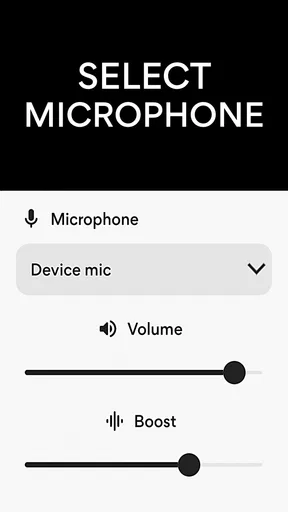
When I think about a phone’s sound, I usually think about what comes out of its speaker, not what its microphone can do for someone listening nearby. Microphone Amplifier takes the opposite approach: it uses a phone microphone or a headset mic to make nearby sound easier to hear. That can be useful when a quiet speaker, television, or conversation is difficult to make out, though it is not a replacement for a hearing aid or a medical assessment.
What the free access means
The app is free to install, which makes it easy to try without paying upfront. It is made by DOSA Apps, is listed in the medical category, and has an Everyone content rating. Optional in-app purchases range from $0.99 to $99.99 per item, so free access does not mean every possible purchase is included. I would check the purchase details in the app before spending anything and judge the basic listening experience first.
Its audience is substantial: it has over 10 million installs and an average rating of 4.3 from around 59,000 ratings. Those figures suggest that many people have found it worth trying, but they cannot tell you whether it will work well with your particular phone, headset, or hearing needs. The app was released on August 16, 2019, and version 13.1.0 supports Android 5.0 and later.
Where the value comes from
The useful question is not whether amplification sounds impressive in the abstract; it is whether it helps you hear a particular sound in a particular place. A phone can be a handy listening aid because it is already close by, and a headset mic offers another way to pick up sound. That flexibility gives the app a practical role for occasional situations, rather than making it a dedicated piece of hearing equipment.
For example, imagine trying to follow a quiet television while someone else is reading in the same room. You could place the phone nearer the television, connect a headset mic if that suits your setup, and listen through headphones. The key is to make small adjustments and test from a comfortable volume. Placing the microphone thoughtfully may help more than simply increasing amplification, especially if the phone is closer to unwanted room noise than to the sound you want.
That kind of setup also makes clear what the app is and is not doing: it passes nearby sound to you through the phone-based listening arrangement. It does not make the original speaker louder for everyone else, and it cannot fix poor audio at its source. If the sound you need is coming from a television, checking the television’s own audio settings or using a purpose-built listening accessory may be a better long-term answer.
Practical listening and setup
For a useful first test, choose a quiet room and a familiar sound, such as someone speaking at a normal volume. Start with the phone at a modest distance and keep the listening level comfortable. Then move the phone closer to the speaker before raising amplification further. This helps separate a placement problem from a volume problem and reduces the temptation to push the output until speech becomes harsh.
Headphones can make a setup more private, but they also make volume discipline important. I would avoid turning the output up suddenly or using the app for prolonged listening at an uncomfortable level. If you are testing it with another person, ask them to speak naturally rather than shouting; shouting changes the sound and can make it harder to judge how the app handles ordinary conversation.
There is a useful trade-off between convenience and positioning. A phone used as a microphone needs to be placed where it can pick up the sound you care about, so it may not be convenient to carry around while listening. A headset microphone can make placement easier in some situations, but results still depend on where the mic sits and what else it picks up. I would try both options in the setting where you actually plan to use the app rather than assuming one will be better everywhere.
How it compares with other choices
Compared with simply raising a television or asking someone to speak louder, a microphone-amplifier app can be more personal: it directs the listening experience to the person using the phone and headphones. Compared with a dedicated hearing device, however, the phone approach is less purpose-built. A dedicated device is generally the more sensible route when you need consistent support throughout the day, while this app is better viewed as an occasional tool for a specific listening task.
It is also different from recording or editing software. A recording app captures sound for later playback; this kind of amplifier is intended to make incoming sound easier to hear as you use it. If your aim is to preserve a meeting, create a clean voice memo, or edit a recording afterward, a recorder designed for that task is the better fit. If your main issue is hearing a nearby sound in the moment, trying a live amplification app makes more sense.
One practical limitation of phone-based amplification is that the environment remains part of the result. In a noisy room, the microphone can pick up competing sounds along with the voice or program you want. Moving closer to the target sound and choosing a quieter location can help, but there is no guarantee that amplification will separate speech from noise. If you need dependable speech understanding in busy places, I would not rely on this app as the only solution.
Getting Started with Microphone Amplifier
First things first, downloading and setting up the Microphone Amplifier app is a breeze. Whether you’re on Android or iOS, just head over to your app store, search for the app, and hit download. It’s lightweight, so you won’t have to worry about it hogging your device’s precious storage space.
Upon opening the app, you’re greeted with a straightforward, no-nonsense interface. I appreciate how intuitive it is. Even if tech isn’t your forte, you’ll find it pretty easy to navigate. Everything you need is right there at your fingertips, without any unnecessary frills.
Features that Stand Out
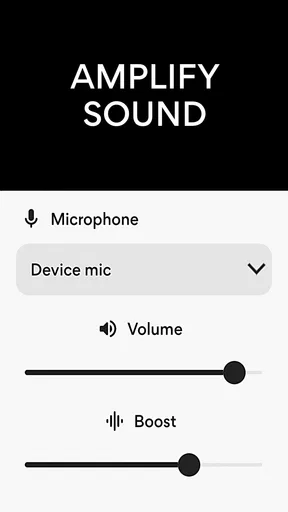
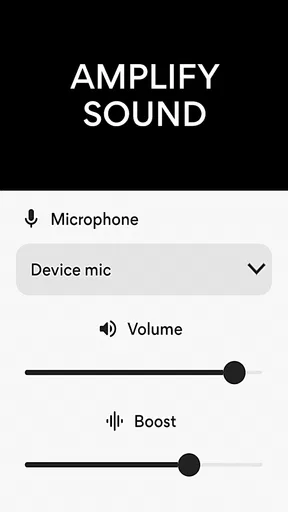
Now, let’s dive into what Microphone Amplifier offers. The app’s primary feature is, of course, amplifying your microphone input. But it goes beyond just turning up the volume. You can fine-tune the amplification to suit your needs, whether you’re in a crowded place or a quiet room.
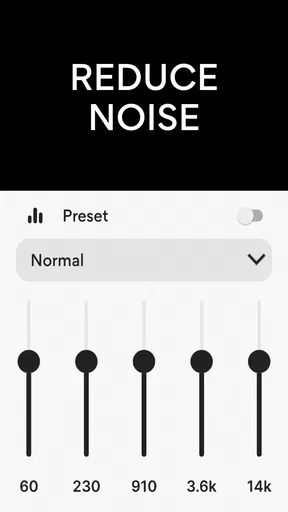
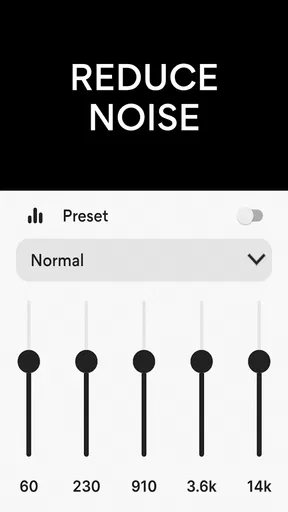
One feature I found particularly useful is the built-in equalizer. It allows you to adjust the frequency levels of your microphone input, giving you more control over the sound quality. This is perfect for those who want to ensure their voice comes through clearly during recordings or calls.
Another neat addition is the noise suppression feature. If you’ve ever been in a situation where background noise ruins an important call, you’ll appreciate this. It helps minimize ambient sounds, ensuring that whoever you’re talking to hears you and not the chaos around you.
Putting It to the Test
To see how well Microphone Amplifier performs, I tried it out in a few different scenarios. During a phone call in a busy café, the person on the other end noted a significant improvement in clarity. The app effectively cut through the background chatter, making my voice stand out.
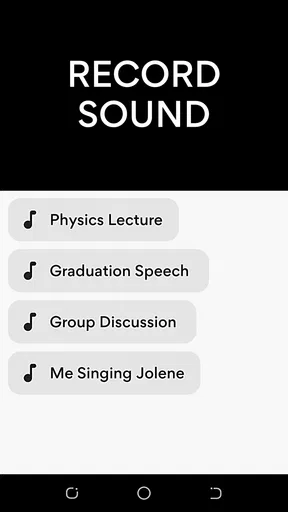
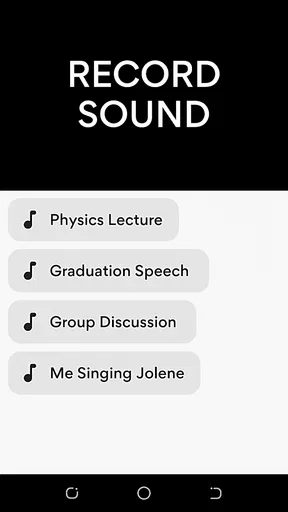
For recording purposes, I tested it while capturing some audio notes for a project. The amplification and equalizer settings allowed me to fine-tune the input, resulting in crisp, clear recordings that didn’t require much post-editing.
Usability and Interface
While the app is easy to use, it’s not perfect. I noticed that when pushing the amplification to its limits, there’s a risk of distortion. It’s a common issue with amplification apps, so it’s something to be mindful of. However, as long as you keep the settings balanced, you should be good.
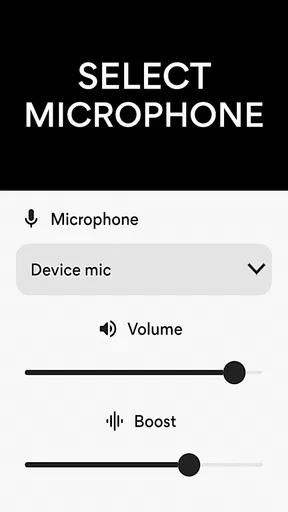
The interface, as mentioned earlier, is user-friendly. It’s not the most modern-looking app, but it gets the job done without any fuss. The settings are clearly labeled, and adjusting them is as simple as sliding a bar or tapping a button.
Who should try it—and who should look elsewhere
I can see this being most useful for someone who wants a low-commitment way to experiment with hearing nearby sound more clearly at home. It may suit a person who occasionally struggles with a quiet television or a soft-spoken conversation in a calm room, and who is comfortable positioning a phone or headset mic. The free installation makes that trial easier, while the optional purchases mean I would keep a close eye on any prompt to pay and make sure it addresses a need I actually have.
I would skip it as a primary solution if hearing difficulty is regular, worsening, or affecting safety and everyday communication. An app cannot assess hearing or provide the dependable fit and support of hearing equipment selected for an individual. For persistent difficulty, speaking with a qualified hearing professional is the more responsible next step. I would also choose another tool for recording projects or calls if reliable capture and editing are the main priorities; amplification and recording are different jobs.
There are a few questions worth answering before relying on it. Can it help in a noisy room? It may make sound louder, but competing noise can remain distracting, so a quieter location and careful microphone placement matter. Does it make the room louder for other people? No: the listening benefit is for the person using the phone-based setup. Is it guaranteed to work with every phone or headset? I would test the combination you plan to use, because the microphone and listening equipment affect the result. And is the free version enough? That depends on what you need; try the basic experience before considering any optional purchase.
Final Thoughts
All in all, Microphone Amplifier is a handy app to have on your device, especially if you find yourself frequently dealing with unclear audio. It’s versatile, easy to use, and delivers on its promise to enhance microphone input. Whether you’re making calls, recording notes, or just looking to improve your device’s audio capabilities, this app is worth checking out.
If you’re curious to try it yourself, you can find Microphone Amplifier on both Android and iOS. Give it a go, and see how it transforms your audio experience.
My buy-or-skip verdict
My recommendation is to treat it as a free-to-try convenience, not as a guaranteed fix for hearing problems. The best case is a specific, occasional listening task where you can place the microphone carefully and keep the volume comfortable. The weaker case is everyday dependence in noisy settings, or spending on optional items before you know what they change for your use. Try it with a familiar sound first, decide whether the result is genuinely clearer, and skip it if a dedicated hearing solution or a purpose-built recording tool better matches your needs.
Privacy and Permissions
See what permissions an app requests and how it handles your data.
- Microphone
- record audio
- Wi-Fi connection information
- view Wi-Fi connections
- Other
- view network connections, pair with Bluetooth devices, send sticky broadcast, full network access, change your audio settings, control vibration, prevent device from sleeping, Google Play license check
Verdict
Strengths of Microphone Amplifier
- Enhances microphone volume efficiently.
- Simple interface for easy navigation.
- Minimal latency for real-time use.
- Customizable amplification levels.
- Compatible with most devices.
Limitations of Microphone Amplifier
- May cause feedback at high volumes.
- Some features require in-app purchases.
- Battery usage can increase noticeably.
- Not all devices support full functionality.
- Occasional app crashes reported.
Other Releases by DOSA Apps
View All
Cube Cipher - Cube Solver
Educational4.5

Recover Deleted Photos App
Photography4.4

Cleanup Your Phone
Personalization4.5

Portable WiFi - Mobile Hotspot
Communication4.4
Similar Picks in This Category
View All
WebMD: Symptom Checker
WebMD, LLC4.1

Anatomy Learning - 3D Anatomy
3D Medical OU4.5

Period Tracker and Calendar
SimpleInnovation4.9

GoodRx: Prescription Coupons
GoodRx4.8

CVS Health
CVS Pharmacy4.5

MyChart
Epic Systems Corporation4.4
Frequently Asked Questions
What is Microphone Amplifier and how does it work?
Microphone Amplifier is an app designed to enhance the sound input from your device's microphone. It works by increasing the volume and clarity of audio, making it useful for recording, live performances, or even hearing assistance. The app processes the audio signal in real-time, delivering amplified sound directly to your headphones or speakers.
Is Microphone Amplifier compatible with all devices?
Microphone Amplifier is compatible with most Android and iOS devices. However, performance may vary depending on the specifications of your phone or tablet. It's important to check the app requirements in the app store to ensure your device meets the necessary criteria for optimal performance.
How do I adjust the amplification settings in Microphone Amplifier?
The app offers a user-friendly interface where you can easily adjust the amplification settings. You can fine-tune the gain and frequency levels using sliders or preset modes. This flexibility allows you to customize the audio output according to your specific needs, whether for recording or personal listening.
Does using Microphone Amplifier affect battery life?
Since Microphone Amplifier processes audio in real-time, it can have an impact on your device's battery life. The extent of battery usage depends on the duration and intensity of amplification. It's advisable to monitor battery levels and use the app conservatively to avoid rapid depletion.
Is there a risk of audio feedback when using Microphone Amplifier?
Audio feedback can occur if the amplified sound from speakers is picked up by the microphone again. Microphone Amplifier includes feedback suppression features to minimize this risk. For best results, use headphones and avoid placing the microphone too close to the sound source to prevent feedback loops.
